Every photo
hides a palette

Pally is an iOS app that turns any picture into a square palette card — ready for the grid, the story, the moodboard. A small ritual for noticing the colors of a day.

Free to try iPhone No account needed
The meaning

A small dictionary of color, rebuilt from your day.

Color isn't decorative. It's a record — of weather, mood, food, light. Pally reads what's there and gives you the names back. The four below are the colors of the Pally logo — the palette the app was born from.

Terracotta

The color of warmth held in clay. Of rooftops in the south, of a mug at sunset, of skin after a long walk.

#E07856 · oklch(67% .14 38)

Verdigris

Patina. Time visible on copper. The color a city wears after a hundred winters of rain.

#3FA797 · oklch(66% .09 178)

Saffron

The slow gold of late afternoon. Of pollen, of paper aged well, of the lamp before the lamp turns on.

#E8C764 · oklch(83% .12 92)

Petrol

The hush before night. Quiet, weighty, and just blue enough to remember the sea.

#244651 · oklch(35% .04 230)
The app

Three taps from photo to post.

One screen to begin. One to adjust. One to share. Pally stays out of the way of the photo.

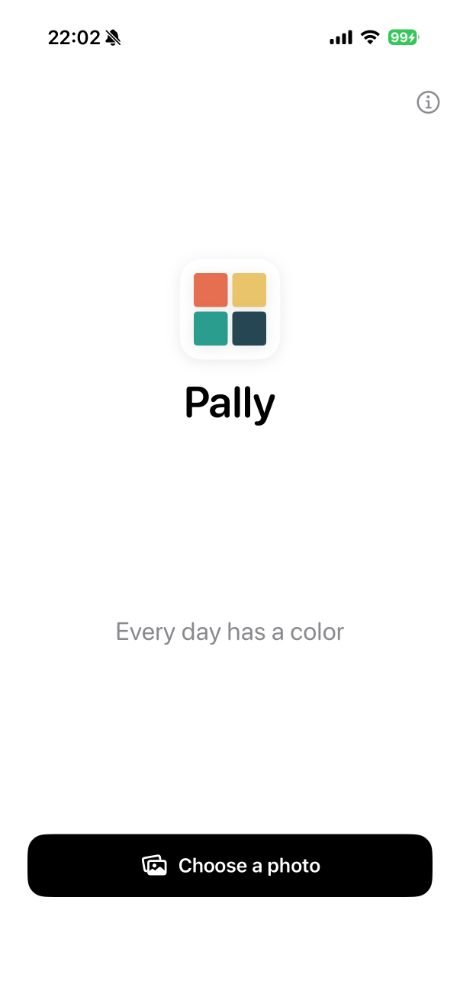
Pally start screen
9:41
Open. Pick.

No setup. No accounts. Pally opens straight to your library.

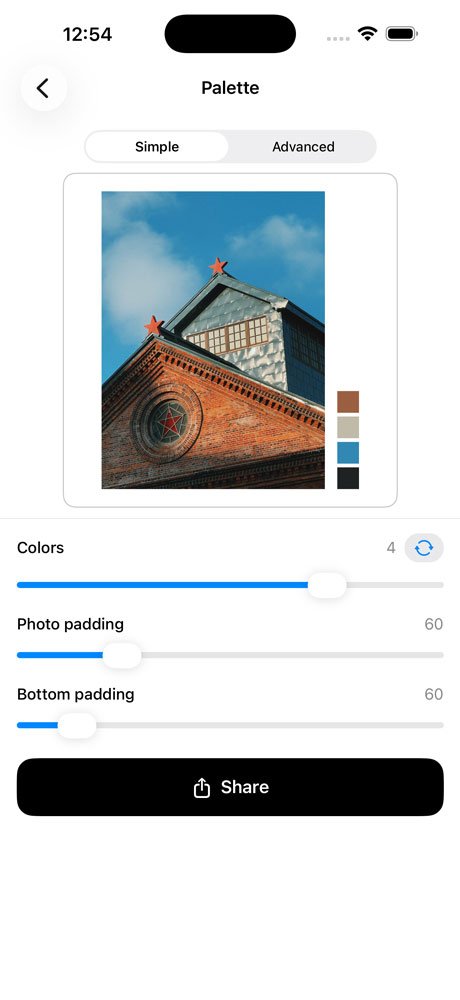
Pally palette screen, simple mode
9:41
Sample. Adjust.

Sample up to 5 colors and regenerate endlessly to land on a combination that feels right.

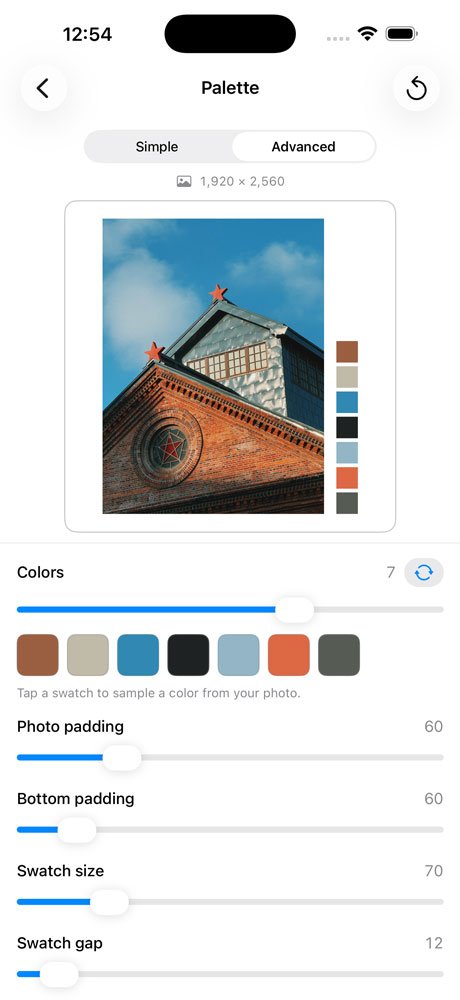
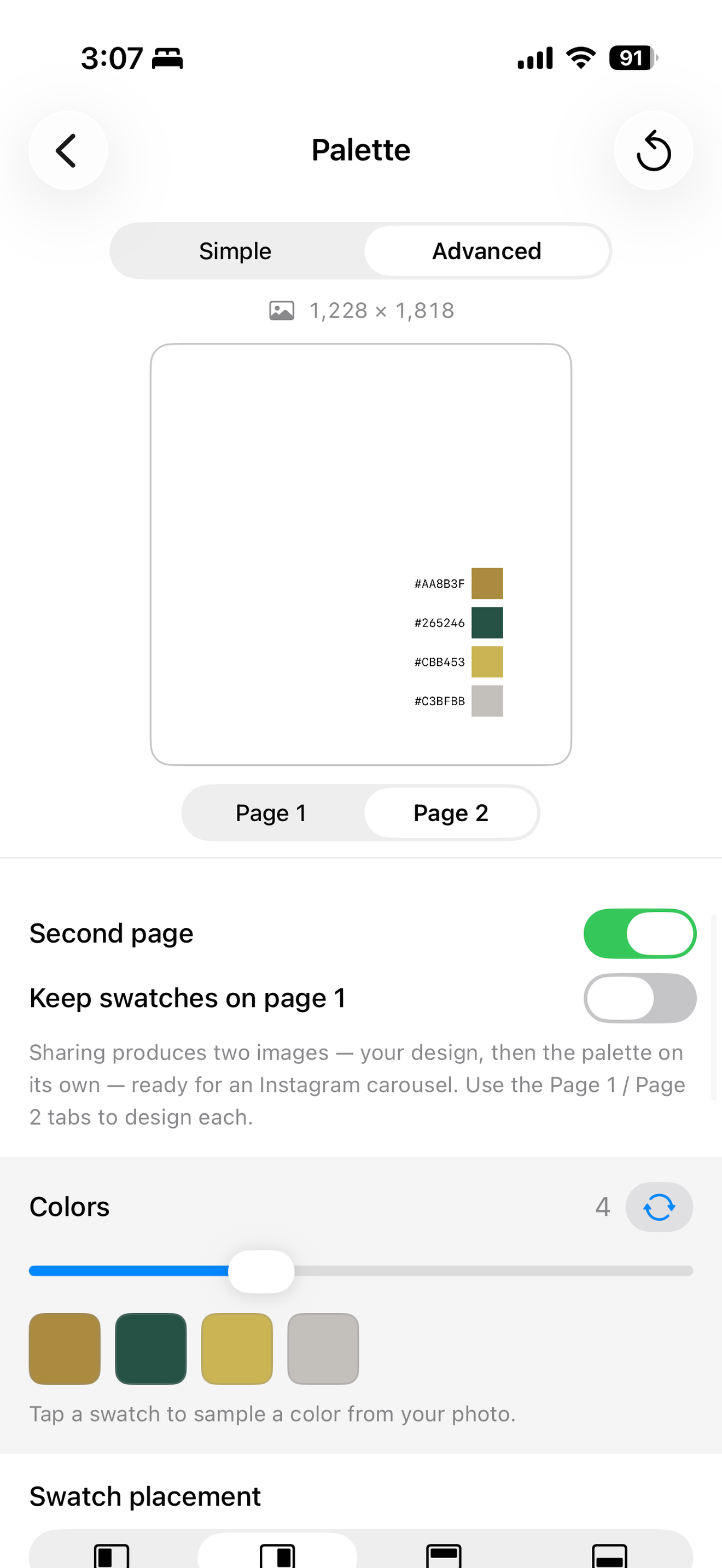
Pally palette screen, advanced mode
9:41
Share.

Send your palette straight to Instagram, AirDrop, or your camera roll — free, no account, no upload.

Go further

What if you tapped more?

Three taps gets you a palette. A couple more get you exactly the layout you had in mind.

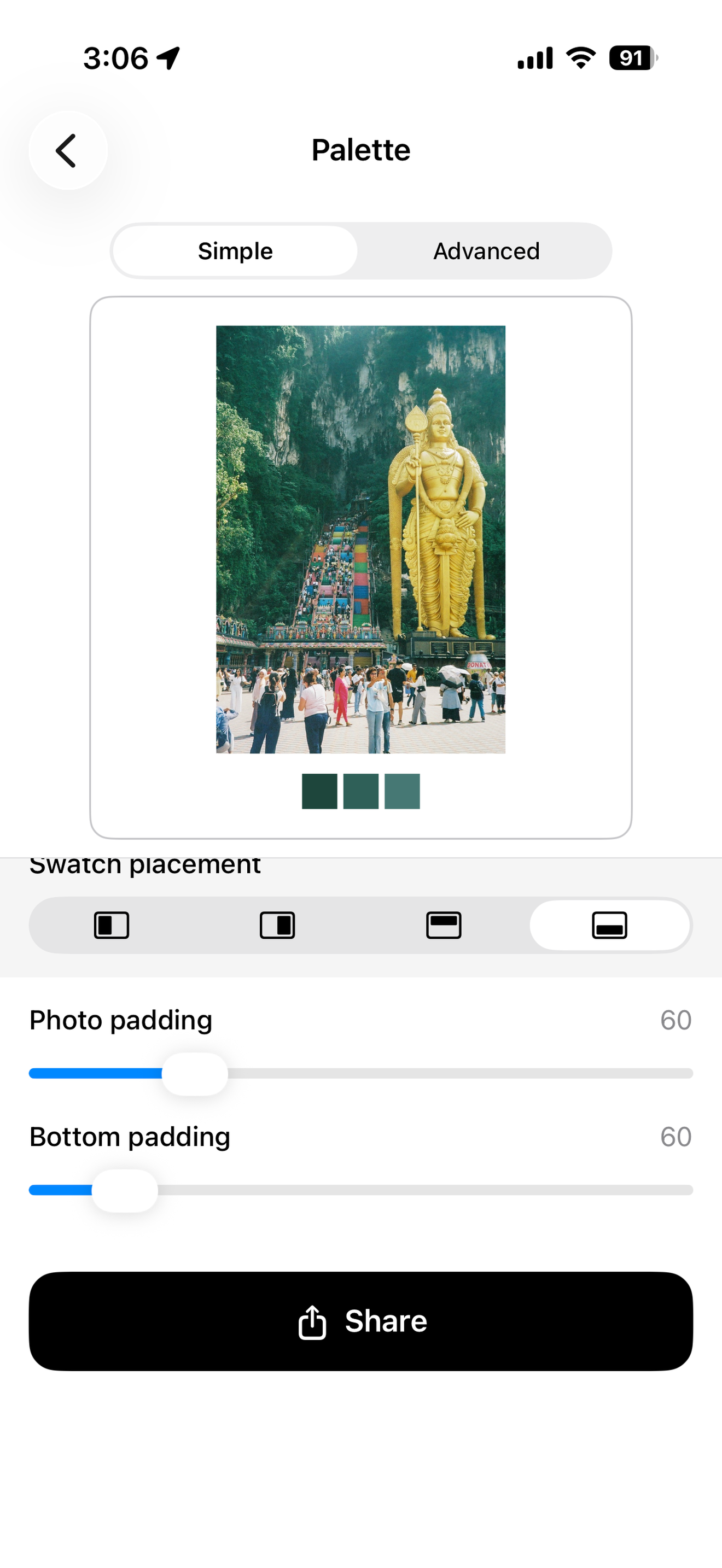
Pally swatch placement options
Put it wherever.

Left, right, top, or bottom — choose how the palette sits against your photo, right down to the padding.

Pally carousel second page with HEX values
Give it a second page.

Turn on a swatches-only second page, complete with HEX values — ready to drop straight into an Instagram carousel.

The ritual

A daily practice in noticing.

Pally wasn't built to be fast. It was built to make you look once more.

01

See it

The dish, the wall, the sky over the parking lot. Anything counts. Pally is for the photo you almost didn't take.

02

Sample it

The app reads dominant tones, balances them, and lays them beside the image. You can keep them, regenerate, or hand-pick from 1 to 10.

03

Say it

Add a line if you want one. Hit share. The square goes anywhere a square goes — and the colors keep their meaning with them.

Pally Pro

For the people who notice
more than four colors.

  • Per‑swatch color sampling New in 1.1

    Tap any swatch, then tap anywhere on your photo to drop that exact color into your palette. The colors you choose stay put while you fine-tune the rest.

  • 1
    Up to 10 colors

    Pull a wide reading from a complex image — or a single accent from a quiet one.

  • Regenerate

    Same photo, new palette. Pally proposes alternatives until one fits the feeling.

  • A
    Captions & fonts

    Sans, serif, mono. Place a quiet line in the white space below.

  • Export resolution control

    Export small, medium, or large — sized for social, print, and however else you want to share your palettes with the world.

  • Overlay mode New in 1.2

    Lay the palette right on your photo, with shadow and border controls to match the mood.

  • Instagram-ready carousel export New in 1.2

    Photo on page one, a fully independent swatch layout on page two — ready to swipe.

  • #
    HEX value labels New in 1.2

    Optional, and sized to fit any placement you choose.

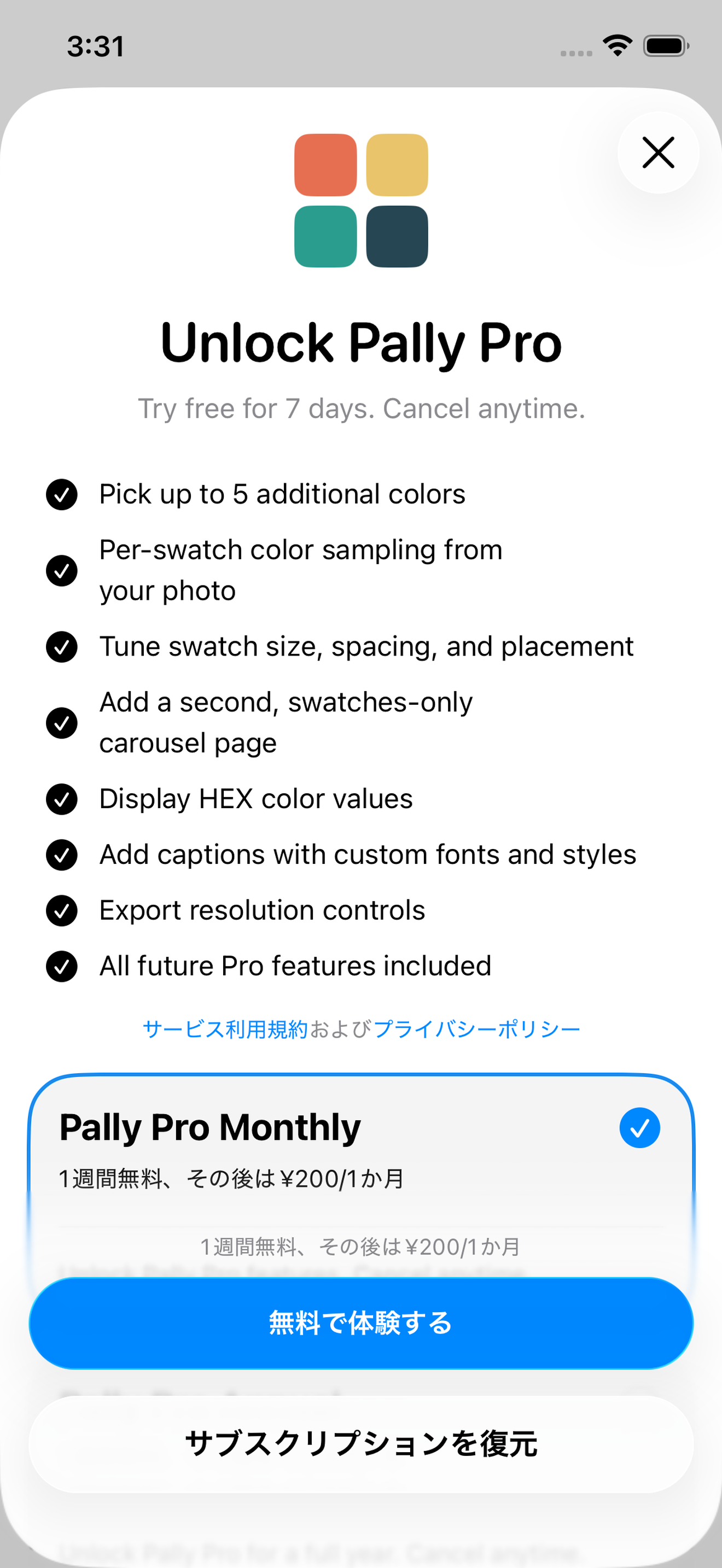
Pally Pro subscription screen
7-day free trial · cancel anytime
$11.99
per year
Monthly$0.99 / mo
After your free week, $11.99 / year until cancelled. Manage in iOS Settings → Apple ID → Subscriptions, at least 24 hours before the period ends.
Release notes

What's new in Pally.

We ship slowly, in public. Each release adds something small and considered — here's the latest.

1.2 Shipped More placement, an overlay look, and a carousel-ready export.

Pally 1.2 gives everyone more control over where the palette sits, and gives Pro a whole new way to lay it over the photo — plus an Instagram-ready second page. Here's everything that's new.

New placement options

Left, right, top, or bottom — now free for everyone.

New Overlay mode Pro

Lay the palette right on your photo, with shadow and border controls.

Swatch offset control

Nudge your palette exactly where you want it.

New Instagram-ready carousel export Pro

Photo on page one, a fully independent swatch layout on page two.

#
Optional HEX value labels

Sized to fit any placement.

Optional "Made with Pally" mark

Including a monochrome option.

Full-screen previews

Tap any preview to view it full-screen.

Cleaner controls

Easier to scan, throughout.

1.1 Shipped Faster, more flexible, more generous on the free tier.

Pally 1.1 makes building and sharing color palettes faster, more flexible, and more generous on the free tier. Here's everything that's new.

Color sampler

Tap any swatch, then tap anywhere on your photo to sample that exact color into the palette. The color you choose sticks as you fine-tune the rest.

A
Caption styling

Bold, italic, and a custom size control alongside the Small / Medium / Large presets — so text can match the mood of the image.

±
Smarter color adjustments

Adding colors reveals more from the set Pally already found; removing them hides the extras — the colors you liked stay put.

5
More in the free version

Choose up to five colors and re-roll them with Regenerate — without upgrading. Per-swatch sampling and finer tools stay in Pro.

Faster and smoother

The live editor preview now runs from a lightweight version of your photo, so sliders and layout stay smooth on big files. Exports still render at full quality.

Polish

Reliable copy and paste in the caption field, clearer cues for scrolling through swatches, and a round of smaller fixes.

Support

We are here for you.

Write any time and you'll hear back from us, usually within a day or two.

How does the free trial work?

Tap Start 7-Day Free Trial, sign in with your Apple ID, confirm. Pally Pro unlocks instantly. Cancel any time in Settings → Apple ID → Subscriptions at least 24 hours before the trial ends and you'll never be charged.

Where are my palettes stored?

Pally doesn't keep a library. Each palette is generated from your photo the moment you open it, and exists only while you're working with it. When you export, the finished image goes to your Photos or wherever you choose to share it — entirely under your control. There is no Pally server.

Does Pally collect analytics?

No third-party trackers, no advertising SDKs. We get crash reports through Apple's built-in TestFlight / App Store mechanism only if you opted in at the system level.

Can I export at full resolution?

Pally Pro exports at the source resolution of your photo. Free Pally exports a 2048 px square optimized for sharing.

How do I delete my account?

There is no account to delete — Pally has no sign-up. Uninstalling the app removes everything.