
1 · Intro & layout
What the app is for and how the screen is arranged — the top bar, the tools, the panel strip, and where your work lives.
1 min 36Carouselz cuts one wide image — or a canvas you design yourself — into evenly split panels that swipe together seamlessly. Post it as a carousel and it reads as one continuous piece.
Every panel is sized exactly to Instagram's carousel grid — square or portrait, your call. Line them up and the seams vanish; swipe through and it reads as one wide photo, not ten separate posts.
To create, you need tools that give you the freedom to make what's on your mind. Carouselz is built with tools that remind you how fun design can be.
New designs with flexible font controls, or dive into the ever-growing set of stylizations for a different look every time.
Pen-pressure-sensitive drawing tools add what a photo alone can't create.
Every tool supports masking — for finer customization and creative negative space.
Every element lives on its own layer. Group layers together, then move and scale them as one.
Carouselz is a design tool, not a slicer. Most of what it does only shows up once you're working — so here are the three things people tell us they wish they'd found sooner.
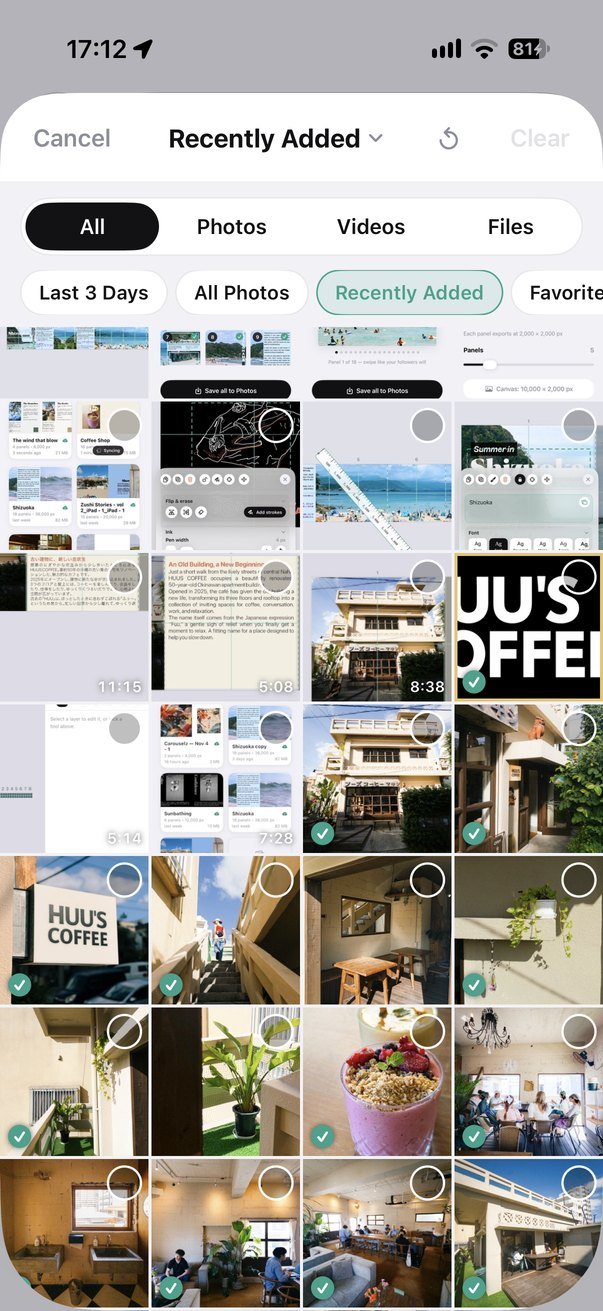
Carouselz browses your library itself, so it can tick the pictures already on your canvas — no more hunting for the one you haven't placed yet. Picks are numbered as you tap them and land in that order. Albums, Last 3 Days, and a Files tab for iCloud Drive.
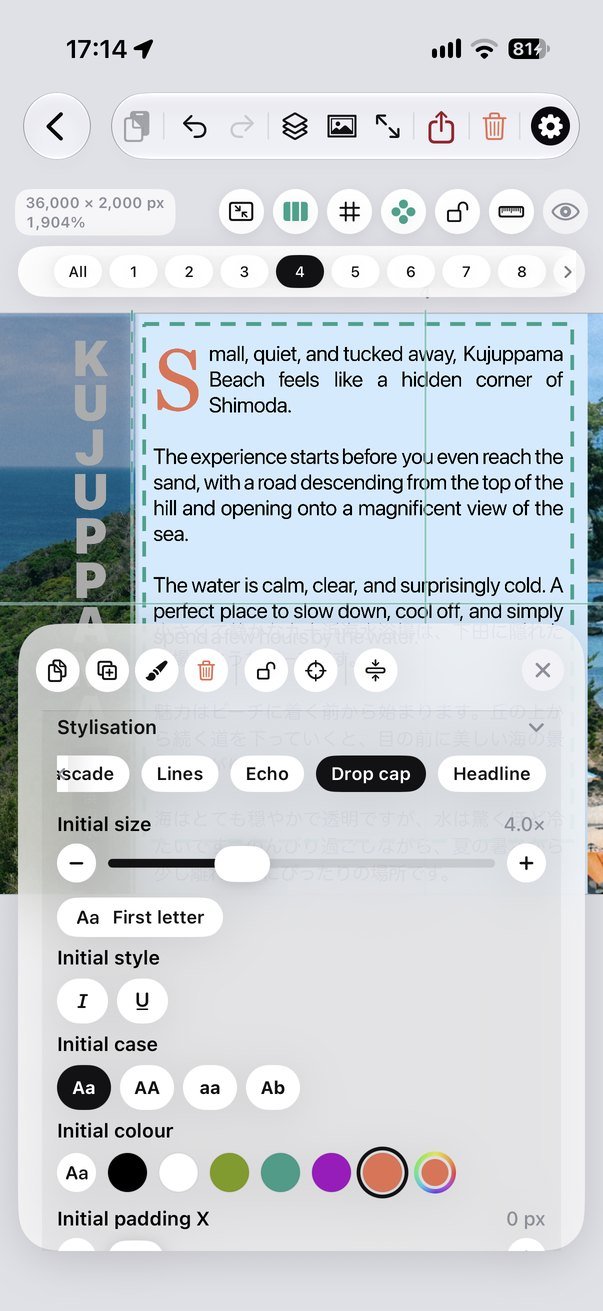
Drop cap, headline, wall, cascade, lines, echo — one body of text laid out six ways, each with its own controls. Two outlines and a shadow on top, 縦書き vertical writing, and Japanese faces fetched from iOS so there are more than the system installs.
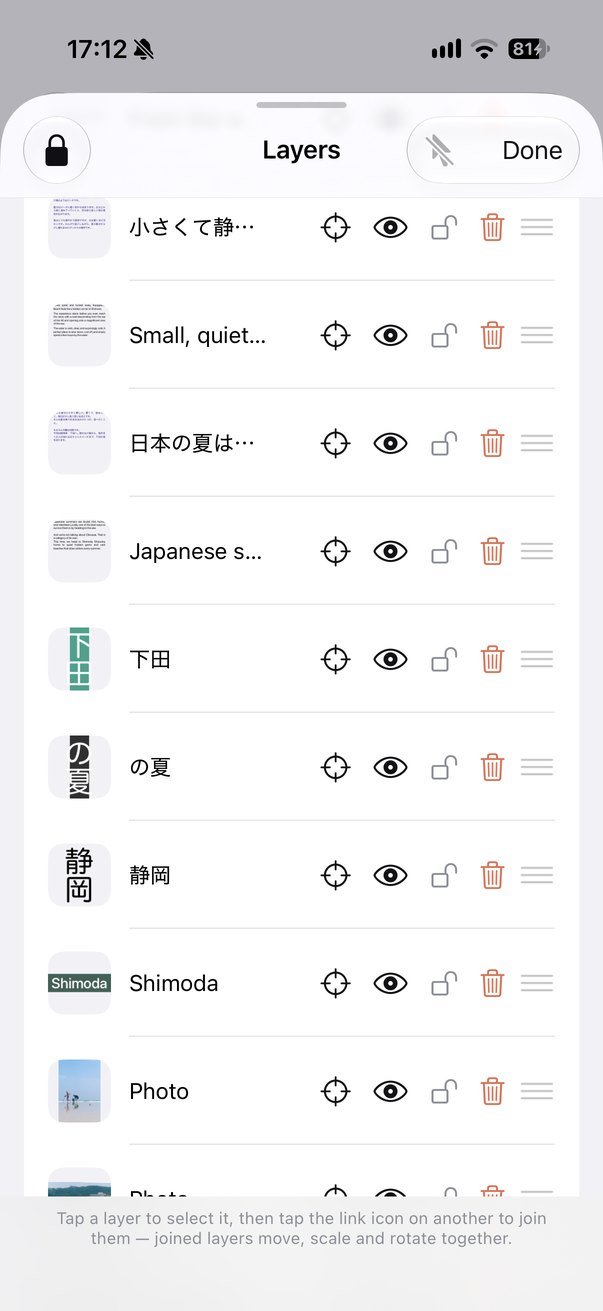
Photos, type and ink all stack, group, lock and reorder. Each one takes a blend mode — set type to Multiply over a photograph and it reads as ink on the paper rather than a sticker over it.
One to set up your canvas. One to design or position your image. One to export, in order, ready to swipe.
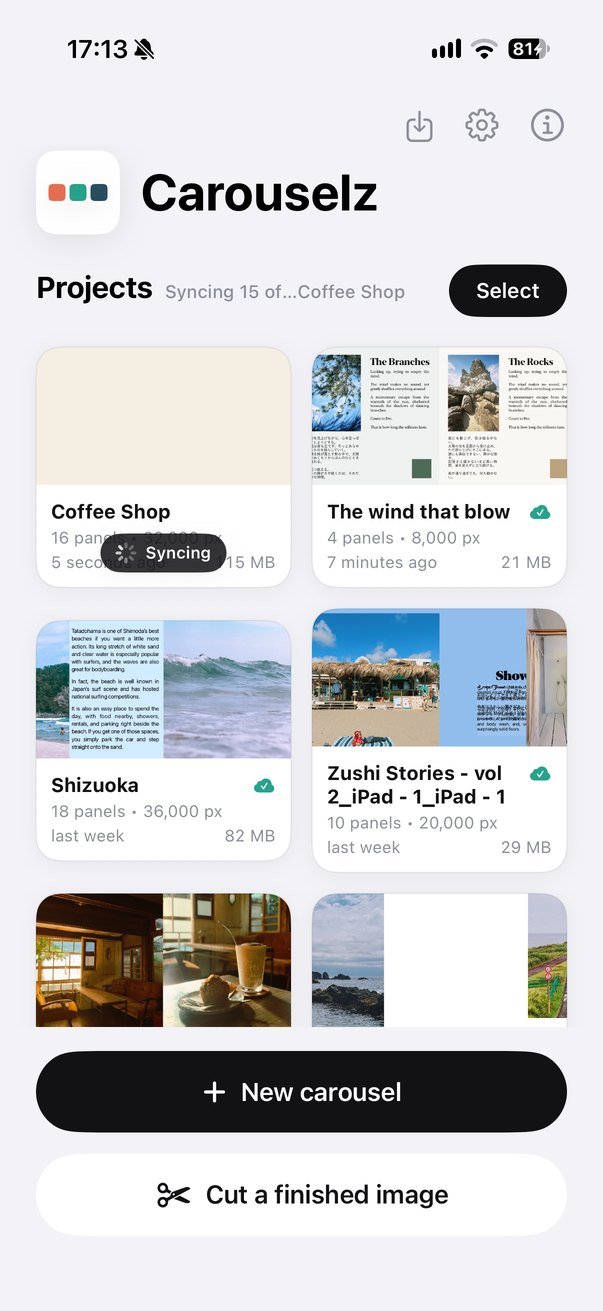
No setup, no account. Design a new carousel from scratch, or cut a wide image you already made.
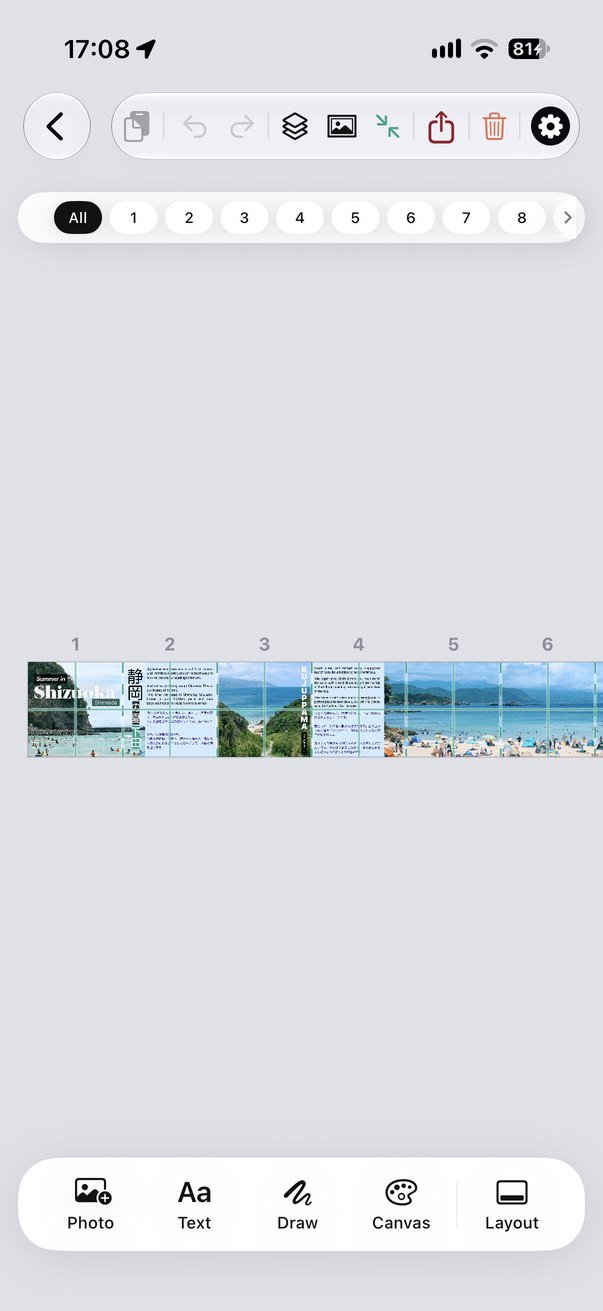
Pick panel shape and count, then either build your composition on the canvas or drop your finished photo in and frame it.
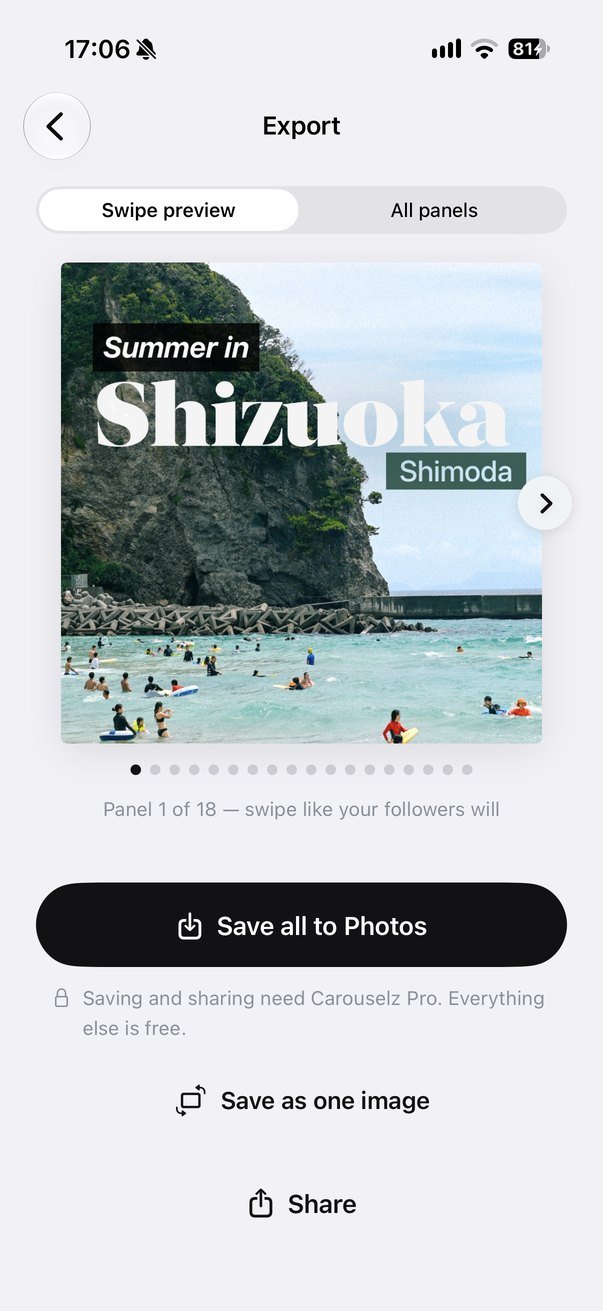
Preview the swipe, save every panel to Photos in posting order, or share the set directly.
Cut a finished image — bring in any wide graphic you've already made and slice it into a carousel. No Pro required.
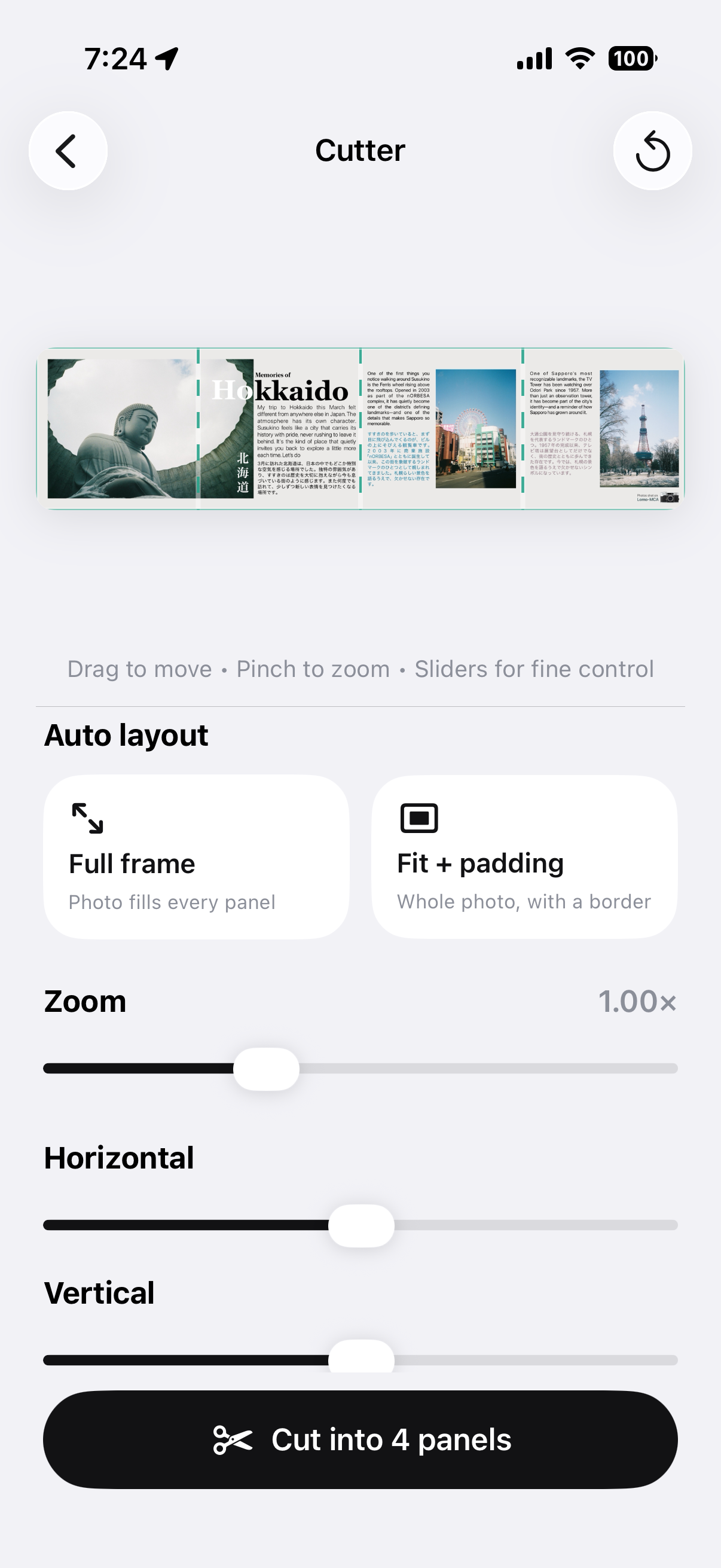
Bring in a finished wide image, scale and place it inside the canvas, and check the cut lines before you slice.
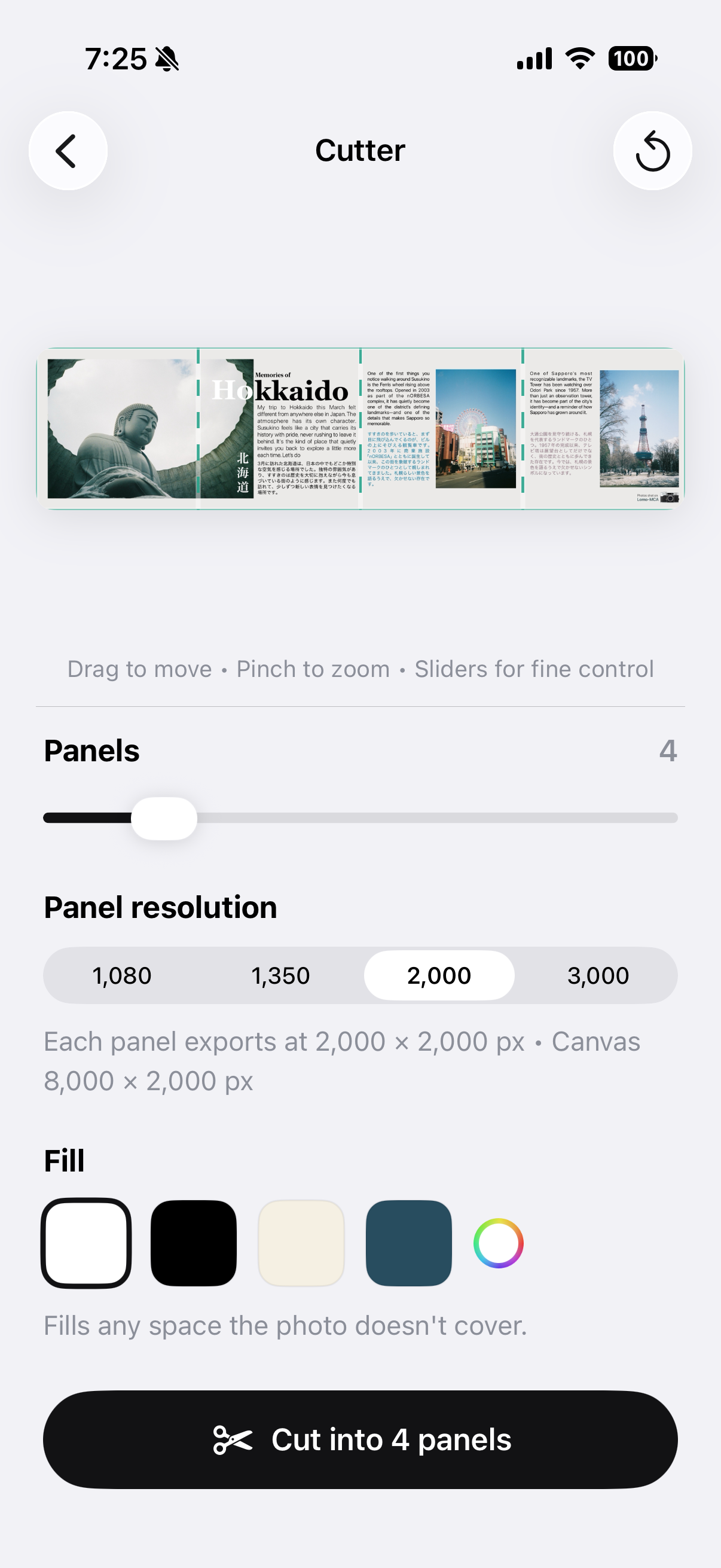
Save every panel to Photos in posting order, or share the set directly — free for every user, always.
Design bigger, cut faster — Carouselz is a full app on iPad and Mac, not a stretched-out phone screen. Your projects sync across all your devices, so you can just pick up where you left off.
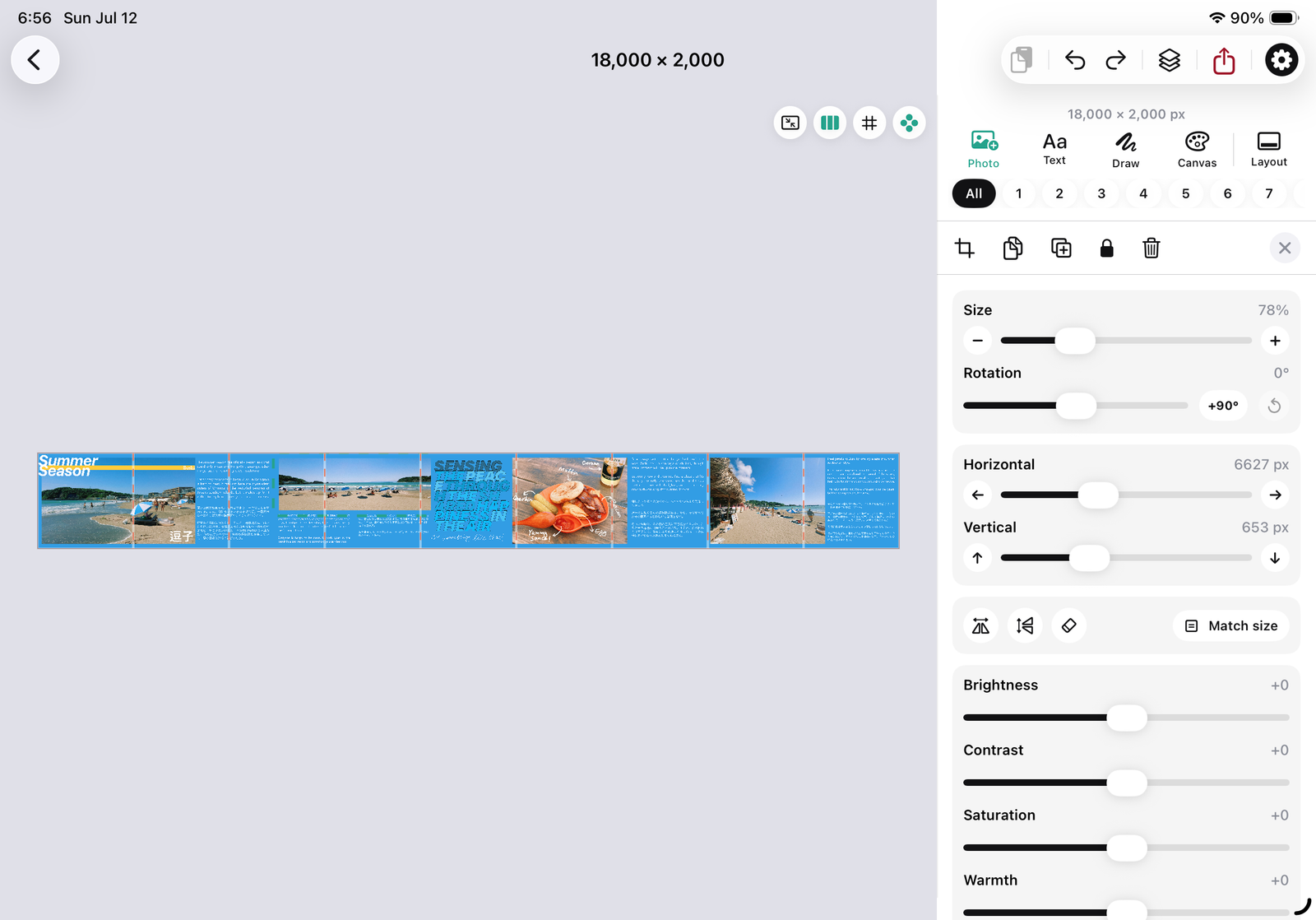
A bigger canvas for a bigger idea — build multi-panel carousels with room to actually see them.
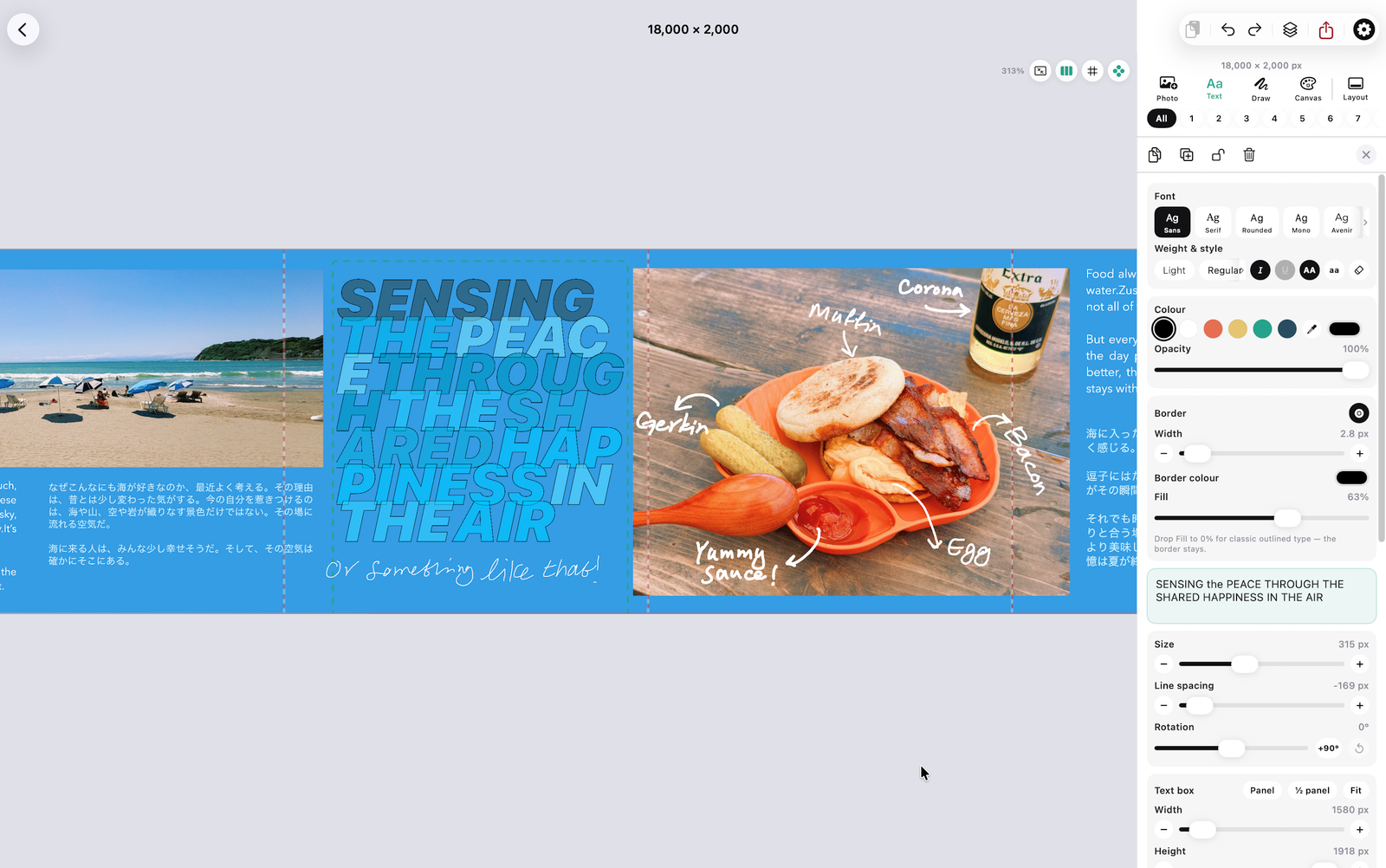
The full app, at your desk. Design on the big screen, export straight to your phone's Photos.
Carouselz isn't about editing ten photos. It's about treating the carousel as what it actually is — one image, temporarily interrupted by a swipe.
Work across the full wide canvas. Text, photos, layout — nothing is confined to a single square while you design.
See exactly where every cut lands before you commit to anything.
Export in order, straight to Photos or Share. Panel 1 through panel N, done.
Every carousel you build on the canvas — saved to Photos in posting order, or shared as a set. No cap, full resolution.
Trim a clip on the canvas and export that panel as a movie rather than a still frame.
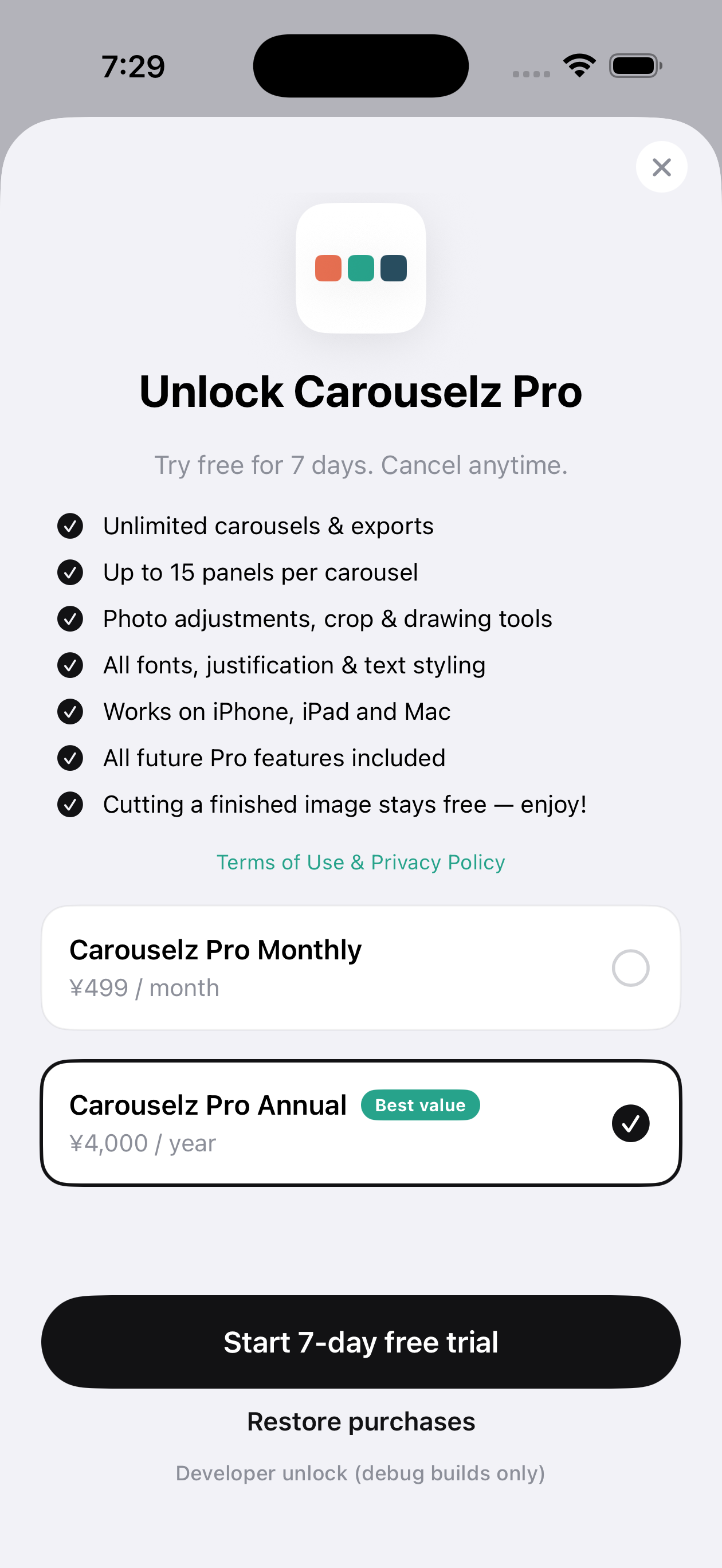
One subscription, nothing to buy again later.
Every font and type stylisation, drawing, photo adjustments, crop, layers and blend modes. Nothing is held back while you design.
Bring in a wide graphic you already made, slice it, and export every panel. No limits, no subscription.
Start on one device and finish on another, through your own iCloud account.
Build the whole carousel first — every tool, every panel — and decide at the export screen. Cutting a finished image is free forever.
We're building this slowly, out in the open. What's shipped, what's coming, what we're dreaming about. Tell us what you'd like to see.
Got an idea? We'd love to hear it.
We're just getting started — here's the first release.
Design a carousel from scratch or cut a photo you've already made — either way, it comes out split exactly where Instagram will swipe.
Square or portrait panels, 2–20 per carousel.
Fill color and cut-line preview before you export.
Build the whole composition before you slice it.
Always in posting order.
Unlimited export, crop & drawing tools, full type system.
One per tool rather than one long tour — so you can watch the ninety seconds that answer your question and get back to work. Longer design-alongs, start to finish, come after launch.
What the app is for and how the screen is arranged — the top bar, the tools, the panel strip, and where your work lives.
1 min 36Bringing pictures in, spreading them across panels, fit and fill, cropping, adjustments and swapping two around.
1 min 29Fonts and spacing, the text box and its padding, outlines and shadow, the stylisations, and 縦書き vertical writing.
1 min 42Pen pressure and smoothing, shapes, the eraser, blend modes, and placing ink exactly across a seam.
1 min 06Setting the canvas up, panel counts and shape, guides and the ruler, and arranging the workspace to suit you.
1 min 11New features, tutorials as they land, and whatever we build next. A few emails a year, never more than one a month, and one click to stop.
The signup form didn't load — an ad blocker or a local preview will do that. Email pallyapp.help@gmail.com and we'll add you.
Your address is used for these updates and nothing else. We don't sell it, share it, or send you anyone else's offers. Unsubscribe from the footer of any email.
Write any time and you'll hear back from us, usually within a day or two.
Bug, feature idea, or hello.
pallyapp.help@gmail.com →Trial, billing, exports, account deletion.
Read below →Privacy policy & terms of service in plain language.
Privacy & Terms →Tap Start 7-Day Free Trial on either plan, confirm with your Apple ID, and Carouselz Pro unlocks instantly. Cancel any time in Settings → Apple ID → Subscriptions at least 24 hours before the trial ends and you won't be charged.
Carouselz doesn't run a server. Your design lives on your device while you're working on it. When you export, the finished panels go to your Photos or wherever you choose to share — entirely under your control.
No third-party trackers, no advertising SDKs. Crash reports only come through Apple's built-in TestFlight/App Store mechanism, and only if you opted in at the system level.
Yes — panels export at the size you chose in setup: 1080, 1350, 2000 or 3000px per panel, at full quality.
There is no account to delete — Carouselz has no sign-up. Uninstalling the app removes everything.
The short version: photos and carousel designs stay on your device. We don't run a server that sees them. Carouselz Pro is a normal Apple subscription you control from iOS Settings.
Nothing about you, personally. The Carouselz app has no sign-up, no email capture, no advertising SDK, and no third-party analytics. Photos and designs you make stay on your device — nothing is uploaded, because there is no Carouselz server.
The one exception, and it's on this website rather than in the app. If you choose to give us your email address for product updates, we store it with our email provider and use it to send you those updates and nothing else. We don't sell or share it. Every email has an unsubscribe link, and unsubscribing deletes you from the list. Not signing up costs you nothing — the app is identical either way.
Anonymized App Store analytics if you opted in at the system level, and subscription state for Carouselz Pro. We see aggregate, non-identifying numbers only.
If you opted into Share with Developers in iOS Privacy settings, Apple forwards us symbolicated crash logs — never tied to a name or photo.
Carouselz is rated 4+. We don't knowingly collect data from anyone, of any age.
If this policy meaningfully changes, we'll note it on this page.
Carouselz is provided as-is. Use it for personal or commercial work — the carousels you make are yours. The app itself, name, and brand belong to Carouselz.
You own your photos. Don't upload images you don't have rights to. Carouselz never transmits your photos off-device.
$29.99 / year (or $4.99 / month) after a 7‑day free trial. Billing happens through your Apple ID. Cancel any time at least 24 hours before the period ends in Settings → Apple ID → Subscriptions; you keep Pro until the end of the paid period.
Refunds are handled by Apple. reportaproblem.apple.com
Questions, takedowns, anything else — pallyapp.help@gmail.com.